


Revivalist is a reader-supported endeavor and our posts may contain affiliate links. When you buy through links on our site, we may earn an affiliate commission.
Life moves fast, and if you’re like most women juggling work, home, and everything in between, keeping your head above water can feel impossible. That’s where the best life organization apps come in — the pocket-sized superheroes that help you manage tasks, deadlines, and ideas without losing your mind. From scheduling meetings to mapping out personal goals, the right app can turn chaos into calm. Whether you’re chasing career milestones or planning the next big adventure, staying on top of it all has never been more doable.
1. TickTick
TickTick is a multifunctional task management app designed to help you organize your work, personal tasks and study schedules. It provides various calendar views such as monthly, weekly, daily and an agenda to facilitate effective planning. The Pomodoro technique is widely recognized and frequently featured on numerous online platforms. When using the Pomodoro technique, students participate in 25-minute study sessions, followed by a 5-minute break. TickTick includes this feature within the app.
TickTick has it in the app. A built-in habit tracker lets you track and develop good habits with detailed statistics and flexible options. Users can organize tasks using lists, Kanban boards, timelines, sticky notes and the Eisenhower Matrix. Innovative features include natural language processing for task creation, recurring reminders and customizable filters.
2. Notion
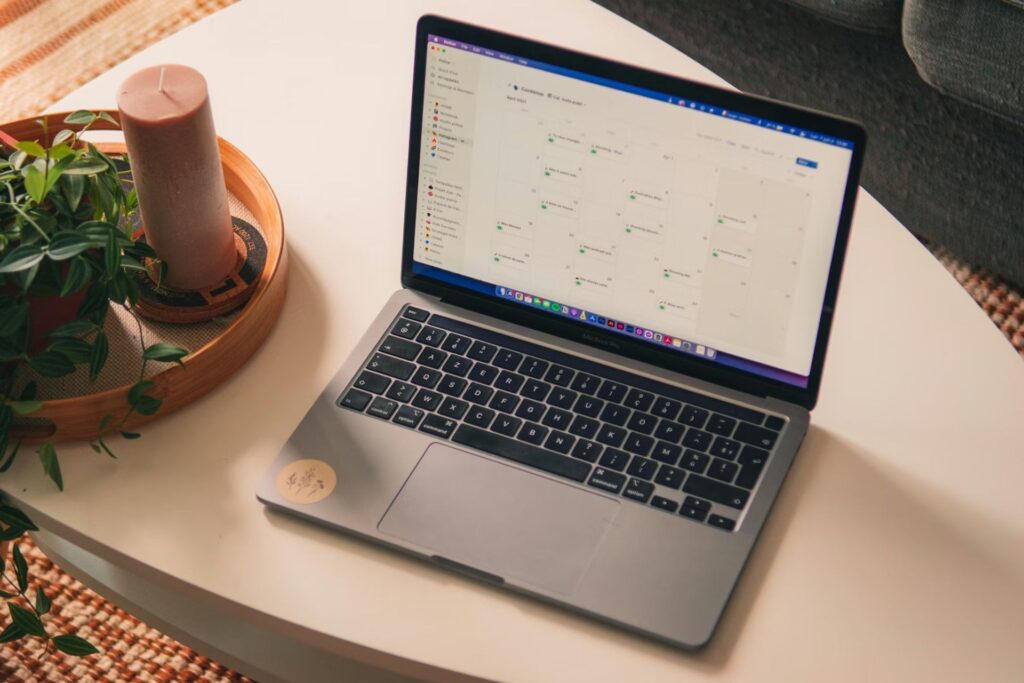
Notion is like your ultimate digital workspace, bringing together notes, tasks, projects and AI-powered tools in one place. Nine out of 10 adults in the U.S. now say they go online every day, with 41% stating they are online nearly all the time. You may feel overwhelmed by tabs, emails and scattered files — Notion solves this by centralizing everything.
Think of it as your personal assistant that never clocks out, automating repetitive tasks and streamlining workflows. You can instantly search your entire workspace, create knowledge bases and visualize progress without switching apps. Its flexible “building blocks” allow you to design your workspace exactly how you want it, blending personal organization with professional productivity.
3. Todoist
Todoist turns scattered tasks into actionable, organized steps. It’s the trusted companion for women who want mental clarity and control over their day. Capture tasks as they pop into your head in natural language, thanks to its refined task entry system. You can sort items by Today,
Upcoming or custom filters, so you only see what truly matters at any given moment. Calendar integration lets you visualize your week, set recurring tasks and never miss an important deadline. Teams can collaborate effortlessly with shared projects, assigned tasks and comments, keeping work and personal life separate but synchronized.
4. Sunsama
Sunsama is a life-organizer app designed for today’s professionals to manage tasks, meetings, and focus time without feeling overwhelmed. Users can kick off each day by prioritizing their tasks, aligning their goals, and planning out manageable workloads. The app brings together all your work tools, such as calendars, project management software, email and messaging apps. With views like daily, weekly, and calendar layouts, it’s easy to visualize and carve out focus time.
Daily shutdowns and progress tracking help users reflect on what they’ve achieved and wrap up the day on a high note. The platform also offers analytics to help you understand how you’re using your time and boost your energy levels. Plus, it comes with enterprise features like SOC 2 compliance and SAML and SSO integration for organizations. All these features make Susama one of the best life organization apps.
5. Anytype
Anytype is a digital collaboration platform that prioritizes security and privacy, giving users complete control over their data. Everything is encrypted directly on your device, ensuring total privacy and ownership. The app works both offline and online, allowing you to stay creative and organized even without an internet connection. Anytype includes private documents, block-based editors, and nested pages for crafting rich content. Its databases enable you to manage tasks, people, and projects with maximum flexibility.
Thanks to its offline-first design and peer-to-peer sync, accessing your data is fast and reliable. The platform is open source and supports self-hosting, which guarantees transparency and full control over your backups. With templates, widgets, and visual database views, the possibilities for organization and creativity are endless. Plus, Anytype is compatible with multiple platforms, including Mac, Windows, Linux, iOS, and Android, and offers unlimited use with student discounts.
6. Asana
Asana is one of the best life organization apps for life helps teams stay organized, focused and aligned with their goals. Its apps for desktop, iOS and Android sync in real time, ensuring your tasks, projects and updates are always current. You can plan your day, manage projects, track campaigns and organize content calendars — all from one platform. Asana includes features like My Tasks, Inbox, Portfolios, Goals and Quick Add to make teamwork smoother.
With AI-powered tools, it automates workflows, provides insights and enhances task management, turning AI into a virtual teammate. You can create custom templates, link work to company-wide goals and track progress with real-time data. Its integration ecosystem connects with apps like Slack, Notion, OpenAI and Gmail, keeping everything in one workflow. Asana offers both free and paid plans, making it suitable for personal and professional use.
7. IFTTT
IFTTT connects apps, devices and services to streamline your daily life. It uses “Applets” to link a trigger in one app to an action in another, allowing for seamless automation without coding. Users can choose from millions of ready-made Applets or create custom workflows in minutes. IFTTT works across productivity, business, smart home and AI-powered integrations, helping you save time and reduce repetitive tasks.
Popular Applets include syncing Spotify playlists, sending weather alerts, backing up iPhone photos and automating Google Calendar events. Multi-action Applets and AI features let you handle more complex tasks, like summarizing information or generating project drafts automatically. Its iOS and Android apps make automations easy to manage from anywhere. IFTTT offers free and paid plans, with Pro and Pro+ unlocking faster Applets, advanced features and developer tools.
Master Your Day With the Best Life Organization Apps
In today’s world, being organized and productive is more than just having a task list — it’s about discovering tools that fit your style and help you maintain your focus. The best life organization apps really hinge on whether you prefer structure, a smooth workflow, or total control over your data. In the end, the ideal productivity app is the one that lets you create, plan and focus effortlessly. With the right tools at your disposal, each day becomes a chance to work more efficiently and feel successful.





Share this article